Building Slime in Unreal Engine 5: Shaders, Trails, and World Interaction

Work In Progress / 14 January 2025

1) The Slime Material: Look + Motion

Target look: translucent body with subtle refraction, soft “thickness,” and a gentle wobble that sells mass. (This is v1—still WIP.)


When I started the slime, the goal was a gooey, reactive feel that stays light enough for gameplay. I’m experimenting with translucency, refraction, Fresnel rim lighting, and distance-field-driven WPO so the slime appears to “attach” to nearby objects or the floor.

The Challenge: Realistic Deformation

Slime shouldn’t feel static—it should give when it gets close to surfaces. I tested a few approaches:

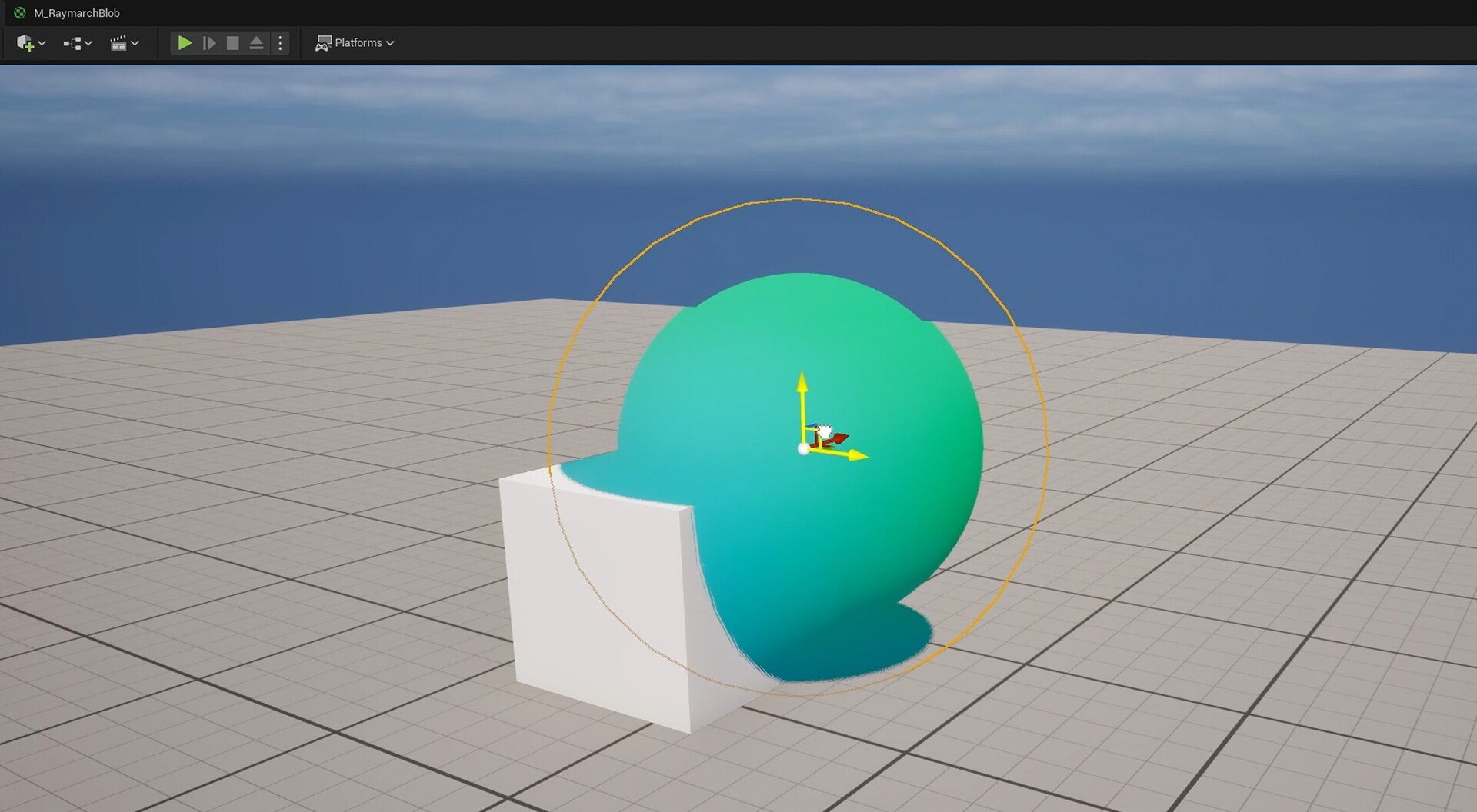
1. Raymarching in Translucency


prototyped a raymarching setup using a custom node inspired by this resource Distance Functions

What it does: layered, volumetric look by integrating light through a semi-transparent medium.

Why I passed: expensive with translucency + refraction and finicky at grazing angles; cool for cinematics, not worth the complexity right now.

2. Distance Fields feeding World Position Offset (cho
sen)
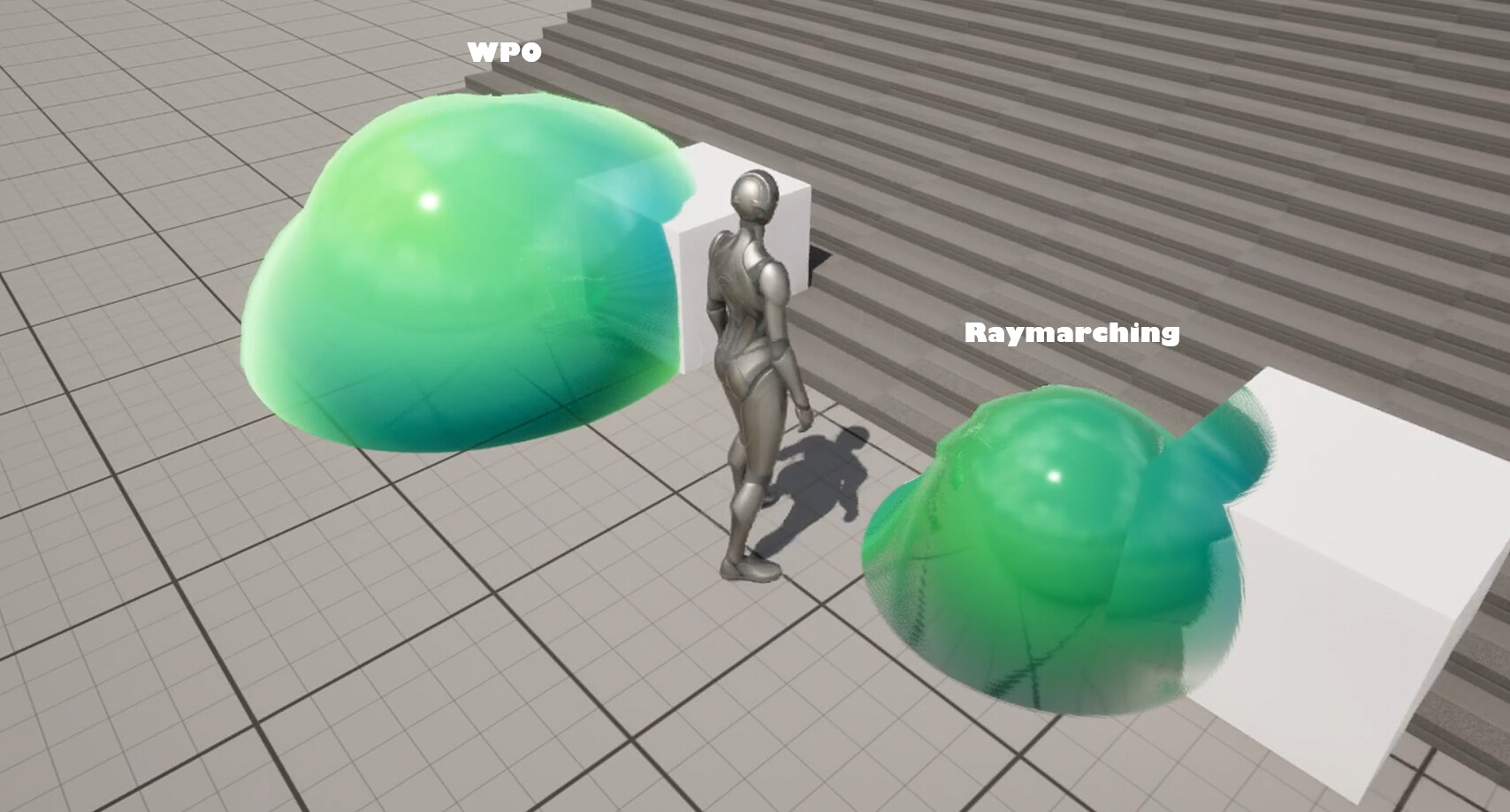
What it does: sample mesh distance fields (distance to nearest surface) and use that signal to drive WPO so the slime bulges/settles toward nearby geometry visually reading as if it’s “sticking” to the ground/objects. 

Why I chose it: good balance of look vs. cost, native UE support, reactive feel without bespoke physics. 

3. Custom Fluid Physics Simulation

What it does: true soft-body/fluid behavior with beautiful deformation.

Why I passed (for now): heavy to run and maintain for moment-to-moment gameplay; great for hero shots, not my target in v1.

Notes: DF→WPO quality depends on vertex density and sensible limits. I clamp offsets, use a smooth falloff near contact, and gate the effect by speed to avoid crawling artifacts. LOD stability matters—high LODs get fuller offsets; far LODs get reduced/disabled offsets.

Current v1 Shader Setup

Translucency & Refraction

Translucent shading with refraction for jelly look.

Fresnel rim for wet edge highlights.
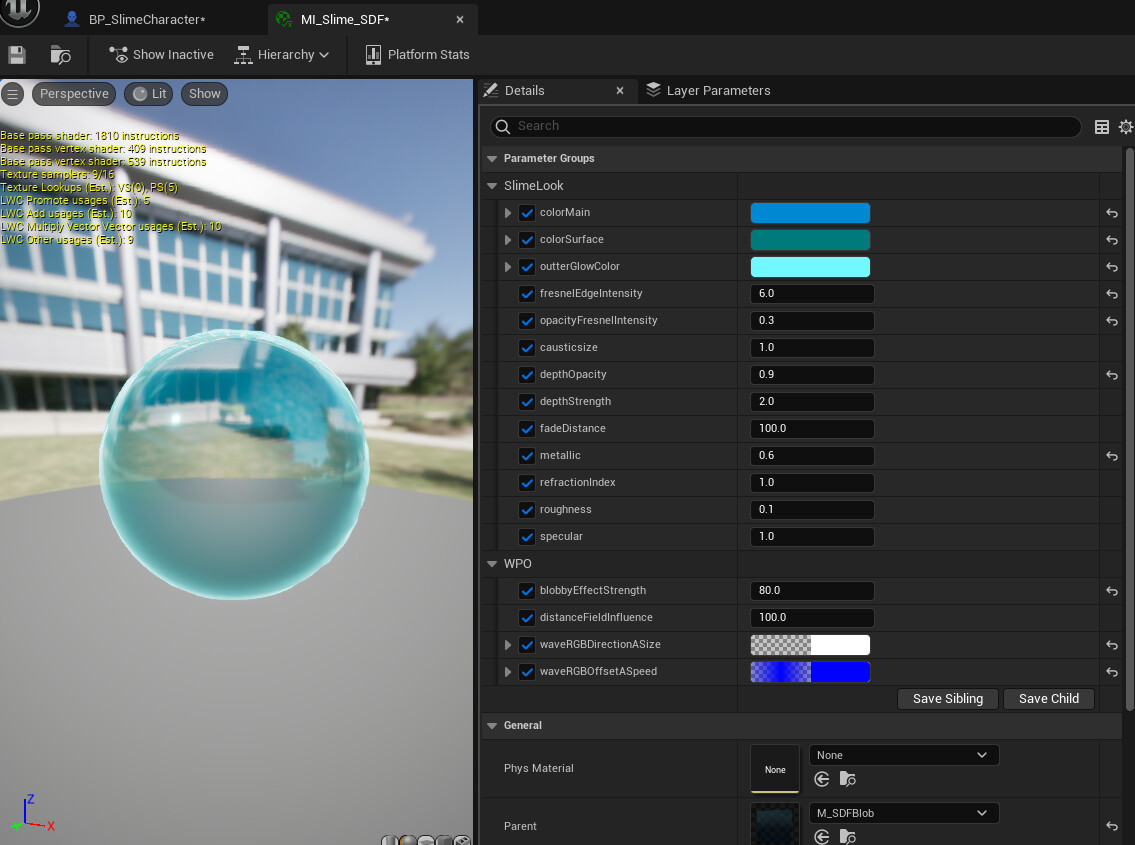
WPO via Distance Fields 

Distance-to-surface drives WPO so the slime appears to settle/flatten when close to floors/props.Falloff + clamp prevent over-offsets; vertex density controls how crisp the effect feels.

Subtle noise into WPO for a soft jiggle 

WIP Notes : add micro normal layering in a later pass, plus material switches/LODs (masked fallback, cheaper refraction, simpler WPO) for the optimization phase.
2) Crafting the Slime Trail

Once the base shader was in, I started exploring a trail system so the slime leaves a mark as it moves. Still experimental—here’s what I’ve tried and where I’m leaning.

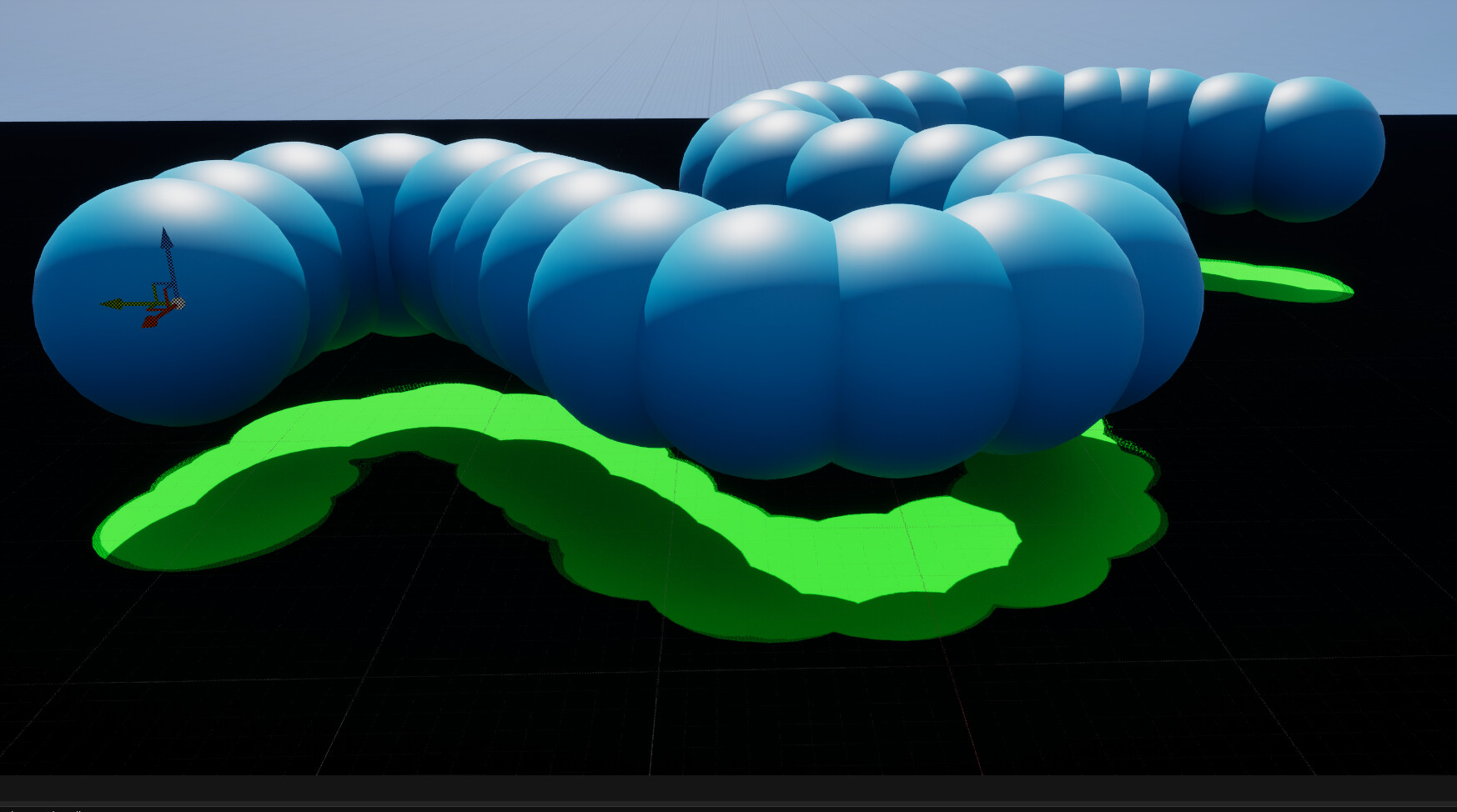
1. Decals + Niagara

What I tried: Niagara spawns trail particles; each becomes a Deferred Decal
Mesh Decal Renderer Niagara

Pros

Quick to prototype; blends well with detailed masks.

Easy to art-direct with textures/blend modes.

Cons

Overlap → overdraw (watch density).

Can stretch/warp on steep or complex geometry.

Needs tight lifetime/culling (distance caps, max active decals, soft fade).

2. Render Targets (paint into a texture)

What I tried: Stamp particle hits into a TextureRenderTarget2D via Blueprint (Draw Material to Render Target), then sample that mask in the ground material.

Pros

Great for persistent/painterly paths with history (blur/erosion/drying).

Shines in contained spaces (rooms, caves, arenas).

Cons

One RT over large landscapes blurs fast unless the resolution is huge.

Frequent writes add cost; big worlds usually need tiled RTs + management.

More engineering/streaming overhead at scale.

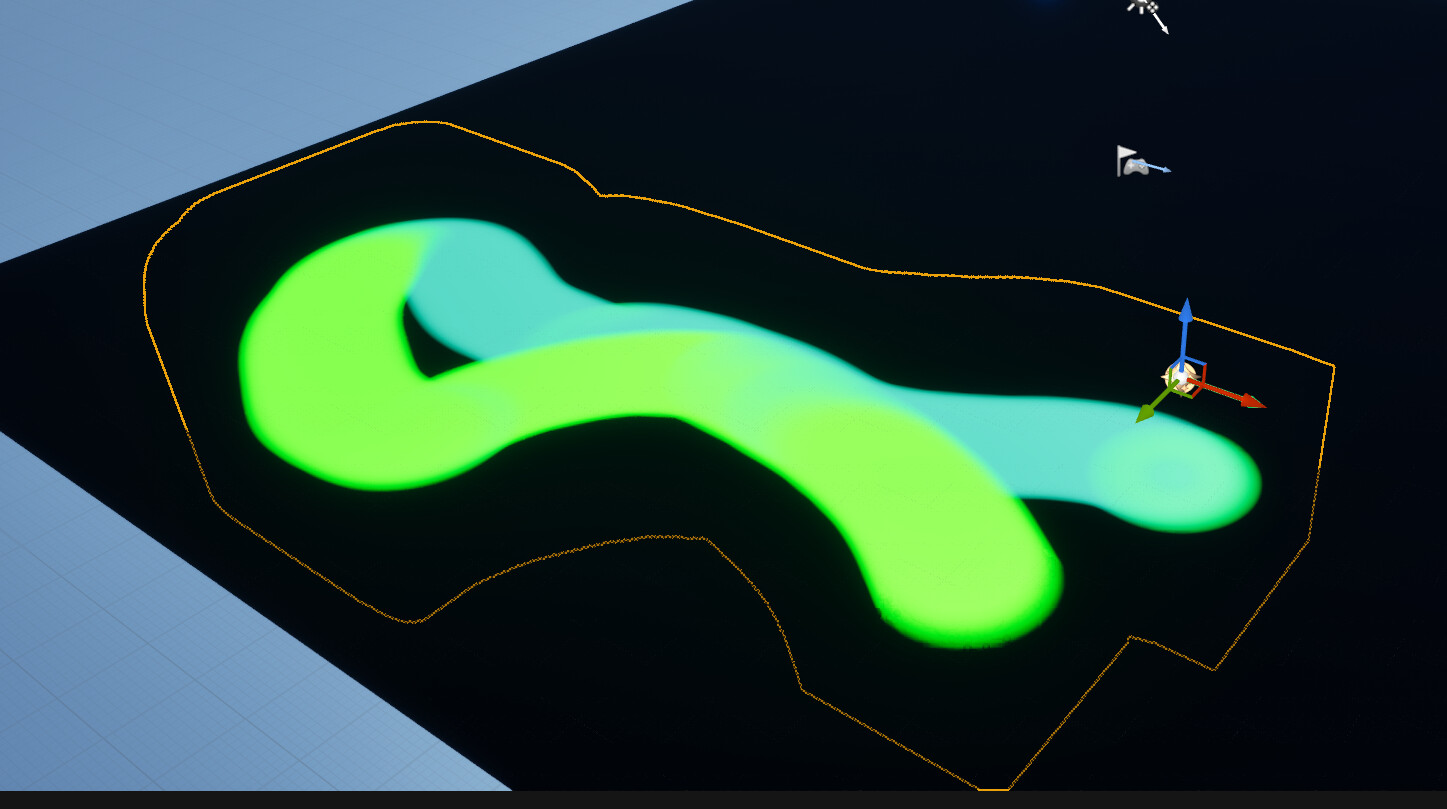
3. RVT + Niagara-Driven HISM “Stamps” (experimental) 

Concept: Niagara exports positions → Blueprint adds HISM stamp meshes → each stamp writes a soft mask into an RVT using Runtime Virtual Texture Output → landscape/meshes sample that RVT for the trail.

How it works

Niagara → Blueprint: send Position / Radius / Alpha.

HISM stamps: add/update instances at those positions.

Write: stamp material writes a SphereMask into the RVT inside a bounded RVT Volume.

Read: landscape/props sample the RVT to reveal trail tint/roughness/normal tweaks.

Pros

World-aligned, slope-friendly; reads are cheap and stream nicely.

HISMs batch better than piles of individual decals.

Single unified look across anything sampling the RVT.

Important caveat

RVTs aren’t meant for high-frequency, per-frame dynamic updates over large areas. This was an experiment otherwise: don’t.

Cons

Not “free”: stamp shape/spacing matters or trails look dotted.

Requires a clear update policy (write every N frames or after distance thresholds).


Where I’m leaning (right now) WIP

Decals for general trails with smart culling/lifetimes (open world).

RT painting for smaller spaces that benefit from history.

Report